Choose the output for the task
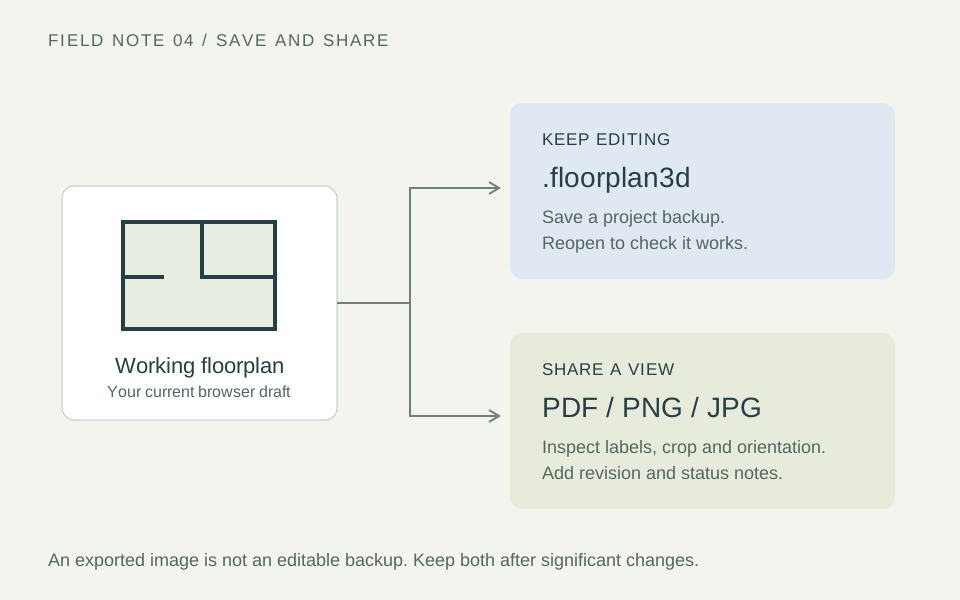
Use a PDF to package a view for review, PNG for a lossless image of linework, or JPG when compression is useful. Inspect the export at its intended size: small labels and fine lines can become unreadable after resizing or compression.
A .floorplan3d file preserves the editable project. None of these formats alone certifies a measured survey, CAD deliverable or construction document.
Export and inspect a view
In 2D, open Tools → Export floorplan and choose the style and PDF, PNG or JPG format. In 3D, arrange the view and use Tools → Save view. A 3D export records that view, not an interactive model.
Open the file and check orientation, cropping and label readability. Does the chosen view answer the recipient’s question? Do not assume an image or PDF has a verified print scale.
Keep an editable backup
Choose File → Save and keep the .floorplan3d file in a known folder. Reopen it with File → Open project; it does not need unzipping. Transfer that file to continue on another device. Renaming an image or ordinary ZIP archive does not turn it into a project.
On a phone or tablet, use Download project or the available Share / Save to Files option. Browser prompts vary. Confirm the file has actually saved before closing the workspace.
Understand browser storage
The local draft belongs to the current browser and site origin. It is not an account-based cloud copy. Private browsing, clearing site data or storage pressure can make local work unavailable.
Download a project after significant changes. Reopen the backup to check it before deleting a source draft. Keep earlier revisions when you may need to explain how the proposal changed.
Check the handover
- Identify the room or level, option, date and revision.
- State whether this is an existing layout or proposed concept.
- Include units and flag unverified dimensions.
- List questions needing a site check or specialist decision.
- Remove unnecessary personal details and share building layouts only with intended recipients.
Send the clearest view and relevant notes rather than every export. Use the layout review checklist before issuing an option.
Continue your planning
Put these checks into practice: assemble a connected house floor map.